Killer Vibe
A downloadable tool for Windows
Killer Vibe
Your Stream. On Auto Pilot.
Automatic live reactions for your stream.
Killer Vibe triggers memes and sound effects the instant you get kills, deaths, and wins.
Hands-free. Perfectly timed. Every time.
What Is Killer Vibe?
Killer Vibe is an automatic sound reaction app for gamers and streamers.
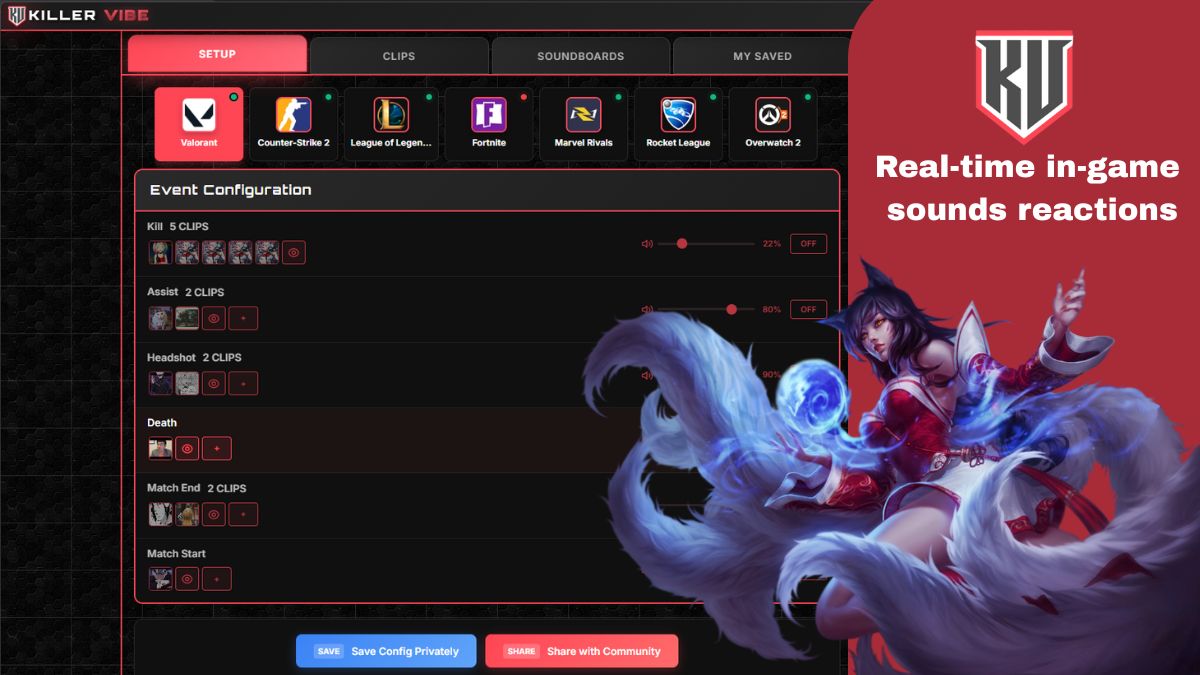
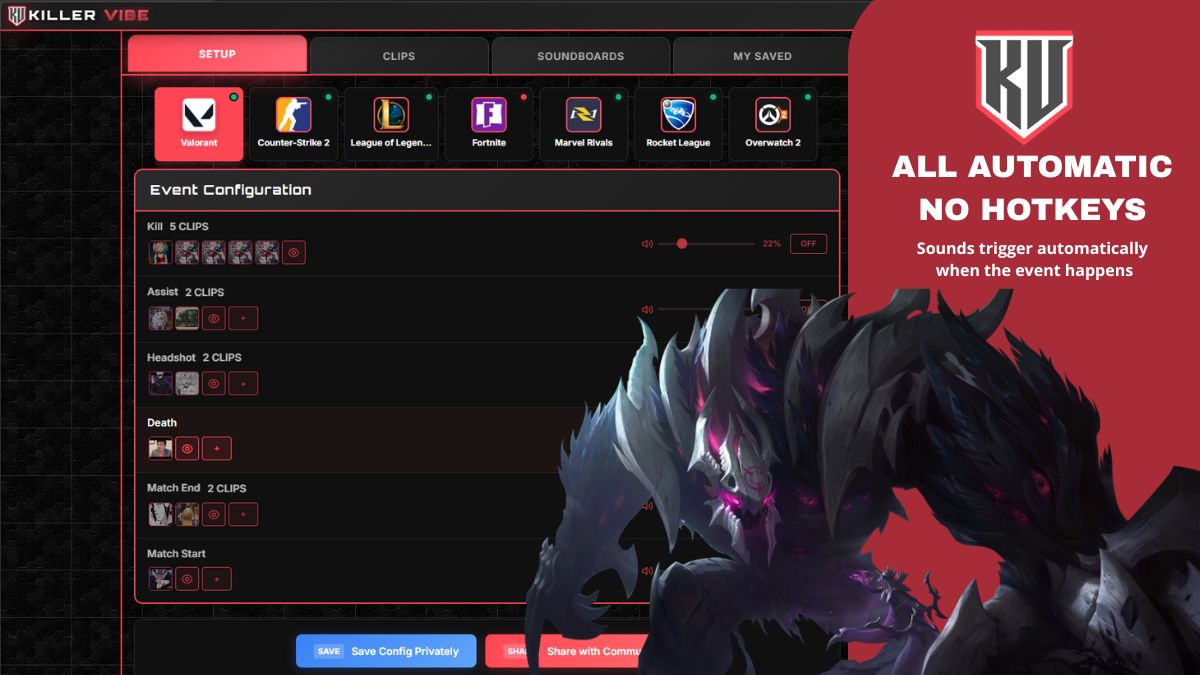
Instead of pressing hotkeys or managing a soundboard mid-game, Killer Vibe listens to real-time in-game events and instantly plays the perfect sound.
It’s like having a silent producer running your stream audio.
⚡ Core Features
+Auto-Triggered Reactions
-
Detects kills, deaths, wins, clutches & more
-
Plays sound effects automatically
-
No buttons. No hotkeys. No alt-tabbing.
-
100% TOS compliant (no game file access)
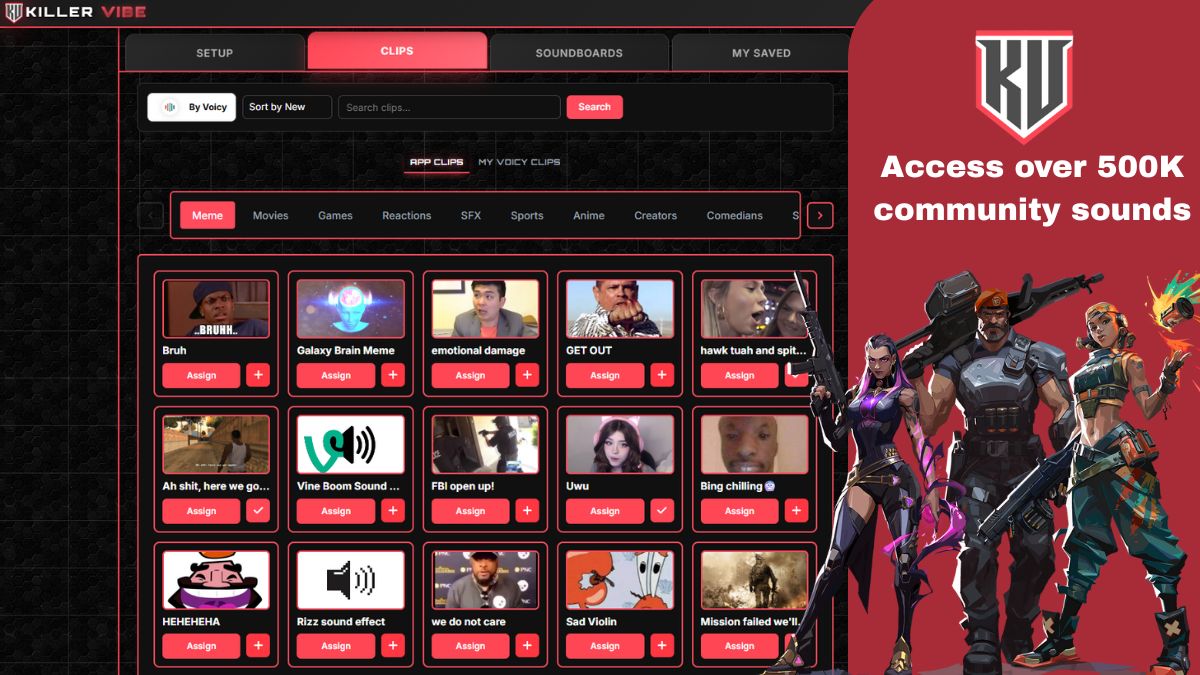
+500,000+ Sounds Library
Powered by Voicy
-
Memes
-
Hype clips
-
Fails
-
Classic internet sounds
-
Community favorites
You can:
-
Assign up to 5 sounds per event
-
Upload your own sounds
-
Create custom sound packs
-
Share configs with other creators
+ Zero Latency Performance
-
Under 10ms processing
-
0% FPS impact
-
No desync
-
No audio delay
Your audience hears the reaction the exact moment it happens.
+Works With Your Setup
Compatible with:
-
OBS
-
Streamlabs
-
Any streaming software
Runs safely alongside your game using authorized real-time tracking.
+ Supported Games
-
Valorant
-
League of Legends
-
Fortnite
-
Counter-Strike 2
-
Marvel Rivals
-
Rocket League
-
Overwatch 2
More titles coming soon.
👥 Who Is Killer Vibe For?
+ Streamers
Stop managing soundboards mid-fight.
Stay focused on gameplay while Killer Vibe keeps chat hyped automatically.
+ Sound Creators
Build custom reaction packs.
Map sounds to events.
Share your configs.
Become the reason others install Killer Vibe.
+ Everyday Gamers
Not a streamer? No problem.
Use it for fun while playing.
Every kill, death, and win feels more alive.
+ Zen Players
Tilt happens.
Laughter helps.
Set funny or positive sounds to trigger on death and keep your mental strong.
🛠 How It Works
1️⃣ Download & install (Overwolf App Store)
2️⃣ Pick a sound pack or build your own
3️⃣ Start playing
That’s it.
No setup.
No complicated configuration.
No performance hit.
💸 Pricing
🟢 100% Free
🟢 TOS Compliant
🟢 Zero FPS Impact
🔥 Why Killer Vibe Is Different
Most streamers need:
-
A second person triggering sounds
-
Manual hotkeys
-
External soundboards
Killer Vibe replaces all of that.
It reacts in real-time.
Automatically.
Perfectly timed.
🎬 Your Stream Deserves Energy
Your best moments shouldn’t be silent.
Download Killer Vibe and let your gameplay speak louder.
Download
Install instructions
Here’s a clean and professional Download & Install Instructions section ready for itch.io 👇
📥 Download & Install Instructions
🖥 System Requirements
- Windows 10 / 11 (64-bit)
- Stable internet connection
- A supported game (Valorant, League of Legends, CS2, Fortnite, etc.)
- Overwolf installed
🔹 Step 1 – Install Overwolf
Killer Vibe runs through the Overwolf platform.
If you don’t already have it:
- Download Overwolf from the official website:
👉 https://www.overwolf.com - Install and launch Overwolf.
- Create or log into your Overwolf account.
🔹 Step 2 – Install Killer Vibe
- Open the Overwolf App Store.
- Search for Killer Vibe.
- Click Install.
- The app will install automatically and run alongside your supported games.
No manual configuration required.
🔹 Step 3 – Set Up Audio
Killer Vibe works with:
- OBS
- Streamlabs
- Any streaming software
If you are streaming:
- Make sure Overwolf audio is included in your desktop/game audio source.
- Alternatively, route Killer Vibe through a virtual audio cable if you want separate audio control.
If you are not streaming:
- Just launch your game — sounds will play automatically during gameplay.
🔹 Step 4 – Choose Your Sound Pack
- Open Killer Vibe.
- Browse community sound packs or create your own.
- Assign sounds to:
- Kills
- Deaths
- Wins
- Special events
- Start playing.
That’s it. 🎮
⚡ Important Notes
- Killer Vibe does NOT access game files.
- It uses authorized real-time game events.
- 100% TOS compliant.
- Zero FPS impact.
- Under 10ms reaction time.
🛠 Troubleshooting
If sounds are not playing:
- Make sure Overwolf is running.
- Ensure your game is supported.
- Check Windows audio output device settings.
- Restart the game after installation.
Leave a comment
Log in with itch.io to leave a comment.